Home › Resources › Unit Expiration Tracker (Excel)
Drivers · trucks · trailers · company

Unit Expiration Tracker: every expiring document in one Excel file

One spreadsheet for every date that can put a truck out of service: CDL, medical, annual MVR, IRP, annual inspections, IFTA, permits, 2290, UCR, insurance. Enter the expiration date and the file shows days left and a 90 / 60 / 30-day status, with a dashboard that counts what is urgent.

Excel · 4 tabs + dashboardEnglishVerified October 27, 2026Instant download
$12This Excel only · instant download
Buy this file
$49Safety Compliance Toolkit: all 10 tools · $93 if bought separately
Get the Toolkit
Included freein the Safety & Compliance course (61 lessons)
See the course
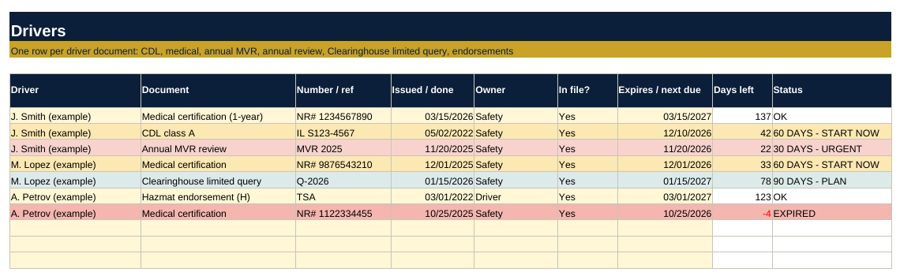
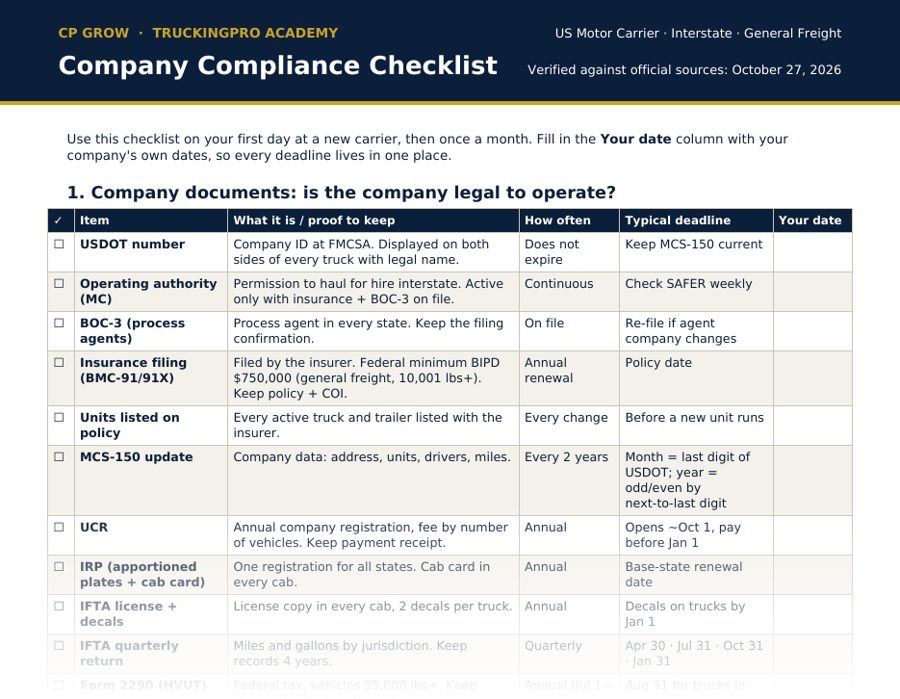
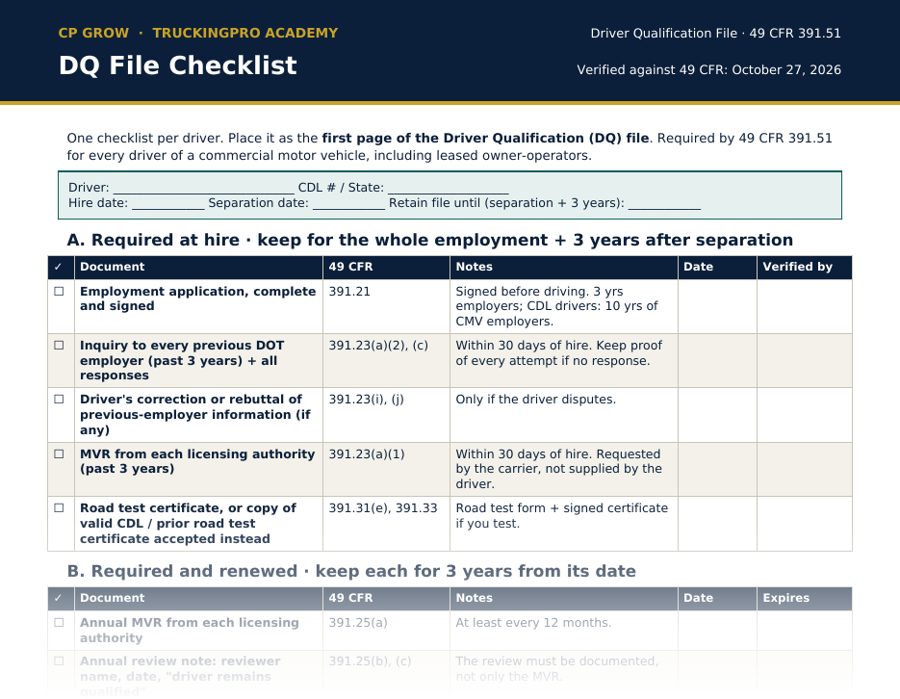
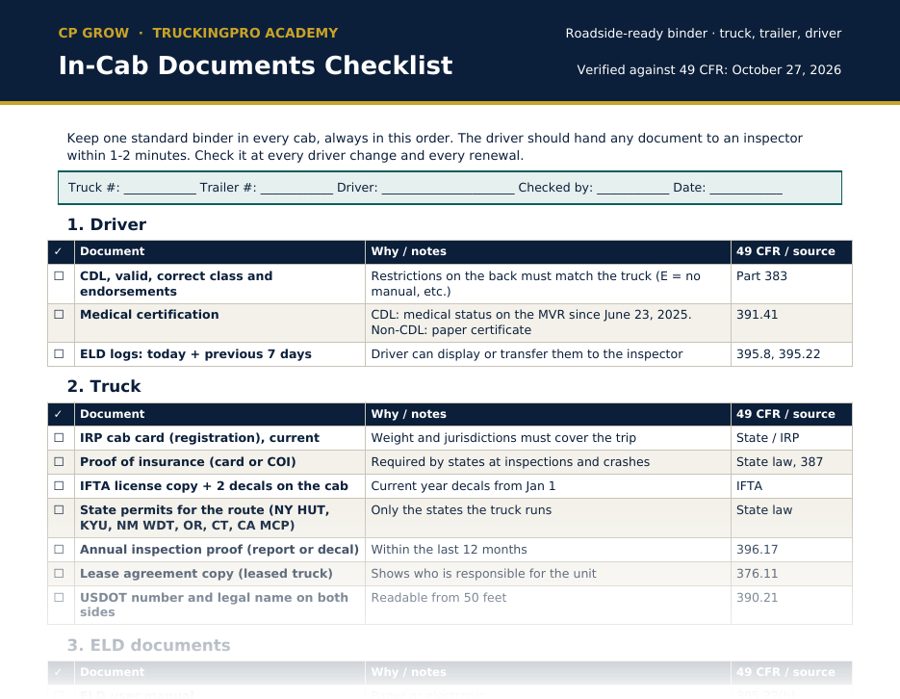
Unit Expiration Tracker (Excel): first page preview

What's inside

Drivers tab

CDL, medical, annual MVR, annual review, Clearinghouse limited query, endorsements.

Trucks and Trailers tabs

IRP cab card, annual inspection, IFTA decals, state permits, lease, insurance; trailer registration, inspection and interchange.

Company tab

MCS-150, UCR, IFTA return, Form 2290, insurance policy, state permit accounts, consortium contract.

Dashboard

Counts of EXPIRED, 30 DAYS - URGENT, 60 DAYS - START NOW, 90 DAYS - PLAN and OK across all tabs.

Sample items

  • Days left calculated automatically from today
  • Status: EXPIRED / 30 days urgent / 60 days start now / 90 days plan / OK
  • Color-coded rows
  • One row = one document
  • Owner column: who renews it
  • "In file?" column for audit proof

How to use it

  1. Load every driver, truck, trailer and company date once (about an hour for a small fleet).
  2. Open it every week.
  3. Anything EXPIRED or 30 DAYS goes on this week's list to management.
  4. Update the date the day the new document is in the file.

Who it's for

  • Safety specialists tracking many drivers and units
  • Small fleets that keep dates in their head or on paper
  • Office managers
  • Owner-operators with several trucks

Questions

Does it work in Google Sheets?

It is an .xlsx file built for Excel. It also opens in Google Sheets and LibreOffice; the formulas are standard (TODAY, IF, COUNTIF).

What is the 90 / 60 / 30 rule?

Plan a renewal at 90 days, start it at 60, and treat 30 days as urgent. Renewals that need appointments, such as medical exams or annual inspections, fail when they start late.

How many units does it hold?

Each tab has 60 ready rows; you can copy rows down for more.

Educational resource, not legal advice. Confirm every item in the current 49 CFR (ecfr.gov) and with FMCSA before acting.

Want to understand every item, not just tick it?

The Safety & Compliance course explains US trucking safety step by step in 61 lessons: company compliance, hiring and DQ files, drug and alcohol, units, SMS scores, inspections, hours of service and FMCSA audits. English, Romanian and Russian, with an AI assistant in every lesson.

The full Safety Compliance Toolkit is included free.

Related resources

All safety resources →